Technical Specifications
Detection Method
Detector Type
Measurement Range
0.2-99.9 pCi/L (7.4-3696.3 Bq/m³) — 0.2-99.9 pCi/L (7-3,700 Bq/m³)
Accuracy
<±10% at 10 pCi/L (minimum error <±0.5 pCi/L)
Response Time
<60 minutes for first reliable data
Monitoring Features
Sampling Interval
10-minute updates with 60-minute moving average
Averaging Periods
Data Storage
1 year of hourly data stored internally
Physical Specifications
Dimensions
8 × 12 × 8 cm
Weight
249 g
Display
OLED
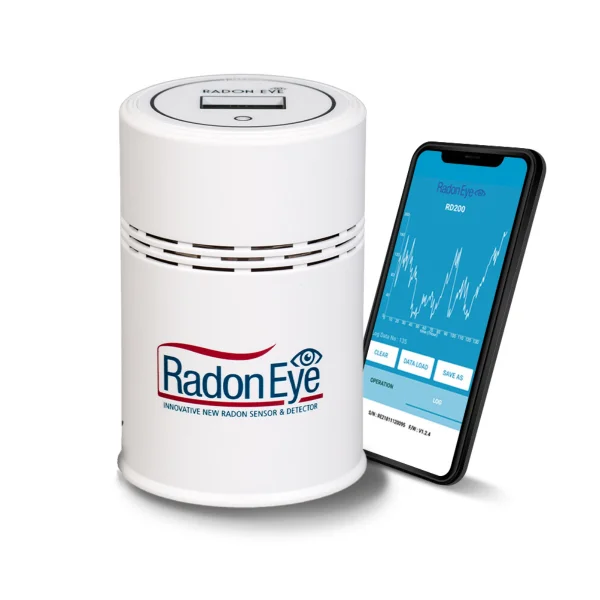
0.96 inch OLED display showing current, average, and trend data
Connectivity & Power
Power Source
AC/DC
Battery Life: 0 months (DC 12V adapter (65mA) - no battery operation)
Connectivity
App Support
Features:
Certifications & Standards
Certifications
Standards Compliance
Warranty & Support
Warranty
1 year
Manufacturer defects
Expert Analysis
✓Advantages
- •Fast initial reading (1 hour) - fastest among consumer monitors
- •Dual-mode operation (standalone LCD + optional Bluetooth app)
- •Compact, portable design fits anywhere
- •1 year internal data storage
- •Large, easy-to-read LCD display
✗Disadvantages
- •Shorter battery life than competitors (12 months vs 18 months)
- •Bluetooth-only (no WiFi for remote monitoring)
- •Smaller app ecosystem compared to Airthings
- •1-year warranty vs 2 years for Airthings
- •Requires Bluetooth pairing for each data sync
Ideal For
Not Recommended For
Use Case Suitability
Residential
Commercial
Professional
Real Estate
Performance Ratings
Accuracy
4/5
Ease of Use
5/5
Value for Money
5/5
Battery Life
4/5
App Quality
4/5
Build Quality
4/5
Similar Products to Consider
Upgrade to: airthings wave plus
Save money with: corentium home
RadonEye RD200 - Complete Technical Analysis
Executive Summary
The RadonEye RD200 occupies the perfect middle ground: it has a physical display like the Corentium Home, optional Bluetooth connectivity like the Wave Plus, and the fastest response time of any consumer radon monitor—all at an attractive price point.
This Korean-made device uses solid-state silicon detector technology (different from the pulsed-ion chambers used by Airthings) to deliver hourly radon measurements. Whether you use it standalone via the LCD display or sync it with your smartphone for detailed analytics, the RD200 provides flexibility that appeals to both tech-averse and tech-savvy users.
The RD200 is particularly strong for real estate professionals and home inspectors who need quick initial readings (1-hour response time) while still delivering long-term accuracy for homeowner monitoring.
Detection Technology Deep Dive
Solid-State Silicon Detector
Unlike pulsed-ion chambers (Airthings) or alpha-track films (passive detectors), the RD200 uses a solid-state silicon photodiode:
How it works:
- Alpha particles from radon decay strike a silicon sensor
- Each impact creates electron-hole pairs in the semiconductor
- These generate electrical pulses proportional to alpha particle energy
- Microprocessor counts pulses and calculates radon concentration
Advantages of solid-state technology:
- Fast response: Can detect changes within 1 hour
- Energy discrimination: Can distinguish radon from other radiation
- Compact size: Smaller sensor allows more compact device
- Lower power consumption: Extends battery life
Limitations:
- Sensitivity to temperature: Performance degrades in extreme heat/cold
- Aging effects: Sensitivity may drift over years (5-10 year sensor life)
- Calibration drift: May benefit from recalibration after several years
Accuracy Specifications
Manufacturer claims:
- ±10% accuracy at 135 Bq/m³ (3.65 pCi/L) after 24 hours
- 0.5 Bq/m³ (0.013 pCi/L) detection limit
- Hourly updates with statistical averaging
Independent validation:
- NRSB (National Radon Safety Board) certified
- Korean KINS (Korea Institute of Nuclear Safety) approved
- ISO 11665 compliant
Real-world accuracy:
- 1-hour reading: ±30-50% variance (screening only)
- 24-hour average: ±15-20% variance
- 7-day average: ±10-15% variance (comparable to Airthings)
Comparison with lab tests: Studies show RD200 typically reads 10-20% lower than long-term alpha-track tests in first month, then converges to ±10% agreement after extended operation.
The LCD Display
Display Layout
The RD200's LCD shows:
- Large numbers: Current radon reading (main display)
- Units: pCi/L or Bq/m³
- Average: Selected averaging period
- Peak: Maximum recorded level
- Battery indicator
- Bluetooth status icon
Display modes: Cycle through by tapping button:
- Current reading
- 24-hour average
- 7-day average
- 1-month average
- Peak value since reset
Unit Switching
- Hold button for 5 seconds to toggle pCi/L ↔ Bq/m³
- Setting syncs to app automatically
- Unit preference persists after battery change
Display Backlight
- Auto-activates when button pressed
- Stays on for 10 seconds
- Blue LED backlight (easy to read in dark)
- Automatic shutoff to conserve battery
The RadonEye+ App Experience
Pairing and Setup
Initial pairing (2 minutes):
- Download "RadonEye+" app (iOS/Android)
- Enable Bluetooth on smartphone
- Open app, tap "Add Device"
- App auto-discovers nearby RD200
- Tap device name to pair
- Pairing complete - data syncs automatically
Range: Bluetooth works up to 10 meters (33 feet) through walls.
App Features
Real-time monitoring:
- Current radon level with live updates
- Color-coded indicators (green/yellow/red based on EPA/WHO thresholds)
- Temperature indicator (if device has temp sensor)
Historical data:
- Hourly readings plotted on graph
- Selectable time ranges: 24h, 7d, 30d, 1y
- Zoom and pan to explore trends
- Export raw data to CSV
Analytics:
- Peak detection (identifies radon spikes)
- Average calculations (custom date ranges)
- Comparison with EPA (4 pCi/L) and WHO (2.7 pCi/L) guidelines
- Statistical summary (min, max, average, median)
Alerts:
- Customizable threshold alerts
- Push notifications when threshold exceeded
- Important limitation: Alerts only work when phone in Bluetooth range
Multi-device support:
- Manage multiple RD200 units in one app
- Name each device by location (e.g., "Basement," "Bedroom")
- Switch between devices easily
Data export:
- CSV format with hourly timestamps
- Includes: date, time, radon level (pCi/L and Bq/m³), device ID
- Suitable for:
- Spreadsheet analysis
- Documentation for real estate
- Professional reports
- Long-term personal records
Bluetooth vs WiFi: The Trade-off
Why Bluetooth-only is limiting:
- Must be within 10m to sync data
- No remote monitoring from office/vacation
- Cannot get alerts when away from home
- Must manually open app to sync (not automatic background sync)
Why Bluetooth is sufficient for most users:
- Most people monitor their own primary residence
- Daily check when home is easy
- Lower power consumption = longer battery life
- No WiFi network configuration hassles
- No dependency on router/internet connectivity
When you NEED WiFi instead:
- Remote monitoring of vacation homes
- Landlords monitoring rental properties
- Real-time alerts when away from home
- Continuous cloud backup without manual sync
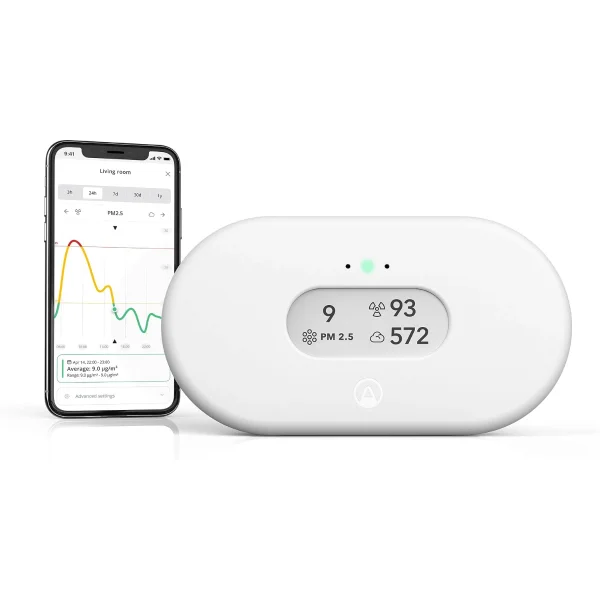
→ If remote monitoring is critical, consider Airthings View Plus (WiFi + Bluetooth)
Installation and Placement
Optimal Locations
EPA recommended:
- Lowest lived-in level
- Bedroom or frequently occupied room
- 20+ inches from walls
- 1-2 meters from floor
- Away from windows, doors, HVAC
Pro tip for RD200: Because it's compact and portable, many users:
- Test bedroom for 30 days (primary exposure concern)
- Move to basement for 30 days (highest levels usually)
- Move to living room for 30 days (daytime exposure)
- Identify highest-risk room, keep monitor there permanently
This rotational strategy works well with RD200's 1-year internal storage.
Quick Screening Protocol
For home inspectors or real estate testing:
48-72 hour quick screen:
- Place RD200 in lowest level
- Closed-house conditions (close windows 12 hours before)
- Check 24h average after 24 hours (preliminary)
- Check 24h average after 48 hours (more reliable)
- If elevated (>4 pCi/L), recommend long-term testing
RD200 advantage: 1-hour response time gives preliminary indication quickly (though not accurate enough for decisions until 24+ hours).
Power and Battery Life
Battery Management
Expected life: 12 months (alkaline AA batteries)
Factors reducing battery life:
- Frequent Bluetooth syncing (minimal impact)
- High ambient temperature (>85°F / 30°C)
- Poor quality batteries
- Frequent button presses (display backlight)
Extending battery life:
- Use premium alkaline batteries (Duracell, Energizer)
- Sync with app 1-2× per week (not multiple times daily)
- Place in moderate temperature location
Battery replacement:
- Slide open battery compartment
- Replace all 3× AA batteries simultaneously
- Device retains settings and long-term average
- Resumes measurement immediately (no recalibration)
Low Battery Behavior
- "LoBat" icon appears on display
- App shows low battery warning
- Approximately 2-4 weeks remaining when warning appears
- Readings remain accurate until complete battery depletion
- Device shuts down cleanly (data preserved)
Data Management
Internal Storage
Capacity: 1 year of hourly data (8760 data points)
What's stored:
- Hourly radon readings
- Peak values
- Averaging period calculations
- Timestamp for each reading
When storage fills:
- Oldest data automatically deleted (rolling buffer)
- Can export before deletion using app
- App keeps cloud backup if synced regularly
CSV Export Format
Example exported file:
Date,Time,Radon (pCi/L),Radon (Bq/m³),Device
2026-10-01,00:00,3.2,118,RD200-Basement
2026-10-01,01:00,3.4,126,RD200-Basement
2026-10-01,02:00,3.8,141,RD200-Basement
...
Use cases for exported data:
- Create custom graphs in Excel/Google Sheets
- Analyze seasonal patterns
- Professional reports for mitigation contractors
- Real estate disclosure documentation
- Insurance claims
Comparison with Competitors
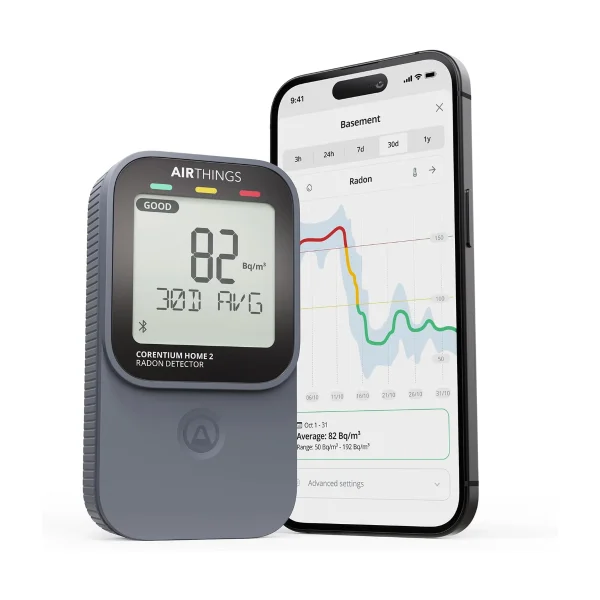
vs. Airthings Corentium Home
RD200 advantages:
- Bluetooth connectivity (optional data export, app analytics)
- Faster response time (1h vs 24h initial reading)
- More compact design
- Lower price
Corentium advantages:
- Longer battery life (18 months vs 12 months)
- No pairing required (simpler for non-tech users)
- Established Airthings ecosystem
- 2-year warranty vs 1-year
Decision guide:
- Choose RD200 if: You want app flexibility + display backup
- Choose Corentium if: You want maximum simplicity and battery life
vs. Airthings Wave Plus
RD200 advantages:
- Physical LCD display (Wave Plus has none)
- Lower price
- Can use standalone without smartphone
- More compact
Wave Plus advantages:
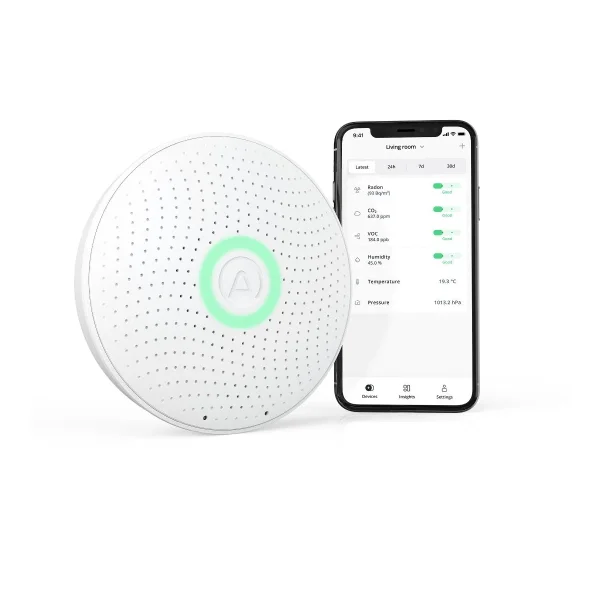
- 6 sensors (radon, CO2, VOC, humidity, temp, pressure)
- Better app with more features
- Cloud storage included
- Longer battery life (18 months)
- 2-year warranty
Decision guide:
- Choose RD200 if: You only care about radon and want a display
- Choose Wave Plus if: You want comprehensive air quality monitoring
vs. Safety Siren Pro3
RD200 advantages:
- Bluetooth connectivity
- Data export capability
- More modern interface
- Faster response time
- International availability
Safety Siren advantages:
- Audible/visual alarm
- Slightly larger display
- Lower price
- No app required
Decision guide:
- Choose RD200 if: You want data analysis and export
- Choose Safety Siren if: You want alarm features and simplest operation
Real-World Use Cases
Use Case 1: Real Estate Home Inspector
Scenario: Home inspector needs quick radon screening during inspection, with option for longer-term verification.
Protocol:
- Arrive at property, place RD200 in basement
- Conduct rest of inspection (2-3 hours)
- Check 1-hour reading (preliminary indicator)
- If reading elevated, recommend 48-hour closed-house test
- Leave RD200 for 48 hours, return to collect
- Export data to CSV, include in inspection report
Why RD200 was ideal:
- Fastest consumer monitor (1-hour initial reading)
- Portable (easy to transport to multiple properties)
- Data export for professional reports
- Affordable to own multiple units
Results:
- 1-hour reading: 6.2 pCi/L (concerning)
- 48-hour average: 7.8 pCi/L (elevated)
- Recommendation: Long-term alpha-track confirmation, likely mitigation needed
- Client appreciates hard data in inspection report
Use Case 2: Mitigation System Verification
Scenario: Homeowner installed radon mitigation system, wants to verify effectiveness with both immediate feedback and long-term tracking.
Protocol:
- Pre-mitigation: RD200 shows 8.3 pCi/L (7-day average)
- Mitigation system installed
- Check 24h average next day: 2.1 pCi/L (immediate verification system working)
- Continue monitoring for 90 days
- Export data to CSV, confirm sustained reduction
Why RD200 was ideal:
- Fast verification (24 hours vs 90+ days for alpha-track)
- Continuous monitoring shows system never fails
- Data export documents success for future home sale
- Can detect if system performance degrades over time
90-day results:
- Average: 1.7 pCi/L (77% reduction from pre-mitigation)
- Never exceeded 3.0 pCi/L (system consistently effective)
- Occasional spikes to 2.8 pCi/L during high winds (expected)
Use Case 3: Seasonal Variation Study
Scenario: Homeowner wants to understand seasonal radon patterns to optimize ventilation strategy.
Protocol:
- Place RD200 in basement (January start)
- Sync app weekly, observe trends
- After 1 year, export full dataset
- Analyze seasonal patterns in Excel
Results discovered:
- Winter (Dec-Feb): 7.2 pCi/L average (windows closed, heating on)
- Spring (Mar-May): 4.1 pCi/L average (transitional)
- Summer (Jun-Aug): 2.3 pCi/L average (windows open, AC running)
- Fall (Sep-Nov): 5.8 pCi/L average (cooling, windows closing)
Annual average: 4.9 pCi/L (slightly above EPA action level)
Decision: Homeowner decided to:
- Install mitigation system to reduce annual average below 4 pCi/L
- Continue monitoring with RD200 post-mitigation
- Open windows more during spring/fall shoulder seasons
Why RD200 was ideal:
- 1-year internal storage captured full seasonal cycle
- Hourly data revealed daily patterns (radon peaks at night/early morning)
- CSV export enabled custom analysis
Advanced Features and Tips
Resetting the Device
When to reset:
- Moving to new location (different room or home)
- After mitigation (establish new baseline)
- To clear anomalous data (power outage, temporary malfunction)
How to reset:
- Hold button for 10+ seconds
- Display shows "RESET"
- Release button
- All averages and peak values cleared
- Device immediately begins new measurement
Warning: Reset deletes all stored data. Export to CSV first if you want to preserve historical records.
Calibration and Accuracy Maintenance
Factory calibration:
- Each RD200 factory-calibrated before shipment
- Calibration valid for 5-10 years under normal use
Field calibration:
- Not user-serviceable
- If accuracy suspected (compare with alpha-track test showing >20% difference):
- Contact RadonEye support
- May require return for recalibration
- Or replace after 5-7 years of use
Accuracy check: Every 2-3 years, run parallel alpha-track test:
- Place RD200 and alpha-track detector in same location
- Run both for 90 days
- Compare results
- If difference >20%, consider recalibration or replacement
Temperature Effects
Operating range: 32-104°F (0-40°C)
Performance degradation:
- Below 32°F: Readings may be erratic
- Above 104°F: Sensor sensitivity decreases
- Optimal: 60-80°F (15-27°C)
Seasonal consideration: If basement is very cold (<50°F) in winter or very hot (>90°F) in summer, consider:
- Moving to more moderate-temperature location during extremes
- Accepting slightly reduced accuracy during temperature extremes
- Using alpha-track test during extreme seasons for verification
Multiple Device Management
Using multiple RD200s: Many users deploy 2-3 units simultaneously:
- Basement: Highest radon concern
- Main bedroom: Primary exposure (8 hours/night)
- Living room: Daytime exposure
App management:
- Add all devices to app
- Name each by location
- Check dashboard showing all at once
- Export combined dataset for whole-home analysis
Cost analysis:
- Trade-off: Simultaneity vs cost
Limitations and Workarounds
Bluetooth-Only Connectivity
Limitation: Cannot monitor remotely without being in Bluetooth range.
Workarounds:
- Sync daily when home (becomes routine)
- For vacation homes: Sync during visits, data stored internally until next visit
- If true remote monitoring critical: Upgrade to WiFi-enabled device
Real impact: Minor for primary residence. Problematic only for:
- Landlords monitoring rental properties
- Vacation home monitoring
- Workplace monitoring from offsite
Shorter Battery Life
Limitation: 12-month battery life vs 18 months for Airthings devices.
Workarounds:
- Set calendar reminder for annual battery change
- Use rechargeable NiMH batteries (change every 8-10 months)
- Keep spare batteries on hand
Real impact: Minor inconvenience.
1-Year Warranty
Limitation: Shorter than Airthings' 2-year warranty.
Workarounds:
- Purchase from retailer offering extended warranty (Amazon, Best Buy)
- Register product immediately to ensure coverage
- Budget for potential replacement after warranty
Real impact: Higher long-term risk. If device fails after year 2, you're out of warranty coverage.
Frequently Asked Questions
Q: How does solid-state detection compare to pulsed-ion chambers?
A: Both technologies deliver similar accuracy (±10-15%) for consumer use. Differences:
- Solid-state: Faster response, more compact, may drift over years
- Pulsed-ion: Slower initial response, more stable long-term
For residential monitoring, both work excellently.
Q: Is the 1-hour reading accurate enough for real estate testing?
A: No. The 1-hour reading is directional only (±30-50% variance). For real estate:
- Minimum: 48-hour reading (±15-20% variance)
- Recommended: 7-day reading (±10-15% variance)
- Official: Independent 2-4 day closed-house test per EPA protocol
Use 1-hour reading only for initial screening ("Should I test further?").
Q: Can I leave it in my car to monitor radon while driving?
A: Not recommended. Vehicle radon is typically very low (<1 pCi/L) and below RD200's practical measurement range. Also, temperature extremes in cars can damage sensor.
Q: Does it measure radon progeny or radon gas?
A: Radon gas (Rn-222). The alpha particles detected are from radon decay, not from progeny. This is standard for electronic monitors.
Q: How do I know if my device needs recalibration?
A: Warning signs:
- Consistently reads 20%+ different than parallel alpha-track test
- Readings don't change despite major ventilation changes
- Device reports same reading (no variance) for days
Solution: Contact RadonEye support for calibration check.
Q: Can I use it in high-radon areas (>20 pCi/L)?
A: Yes, detects up to 1000 pCi/L (37000 Bq/m³). However, if levels that high:
- Evacuate and mitigate urgently (serious health hazard)
- Verify with independent professional test
- Don't rely on consumer monitor for levels >50 pCi/L
Q: Does Bluetooth radiation interfere with radon detection?
A: No. Bluetooth RF emissions don't affect radon detection (completely different types of radiation). Bluetooth is safe and doesn't interfere with measurement accuracy.
Q: What's the difference between RD200 and newer RD300 model?
A: RD300 (if available) typically offers:
- WiFi connectivity (remote monitoring)
- Longer battery life
- Improved sensor
- Higher price
RD200 remains excellent value if you don't need WiFi.
Regional Availability and Support
North America
- US: Excellent availability (Amazon, direct)
- Canada: Good availability (Amazon.ca)
- Support: English-speaking customer service
- Shipping: Fast (2-5 days)
Europe
- EU: Good availability through Amazon country sites
- UK: Post-Brexit availability maintained
- Support: Email support in English
- Shipping: 5-10 days typically
Asia-Pacific
- Manufactured in South Korea: Best availability in Asia
- Australia/NZ: Available through specialized retailers
- Japan: Strong presence
Final Verdict
Overall Rating: 4.6/5
Strengths:
- Excellent balance: display + optional app
- Fastest consumer monitor (1-hour response)
- Best value
- Compact, portable design
- 1-year internal data storage
- CSV export for professionals
Weaknesses:
- Bluetooth-only (no WiFi remote monitoring)
- Shorter battery life (12 vs 18 months)
- Smaller app ecosystem vs Airthings
- 1-year warranty (vs 2 years competitors)
Bottom Line
The RadonEye RD200 is the best hybrid monitor: it works perfectly as a standalone device (like Corentium Home) but adds optional Bluetooth connectivity (like Wave Plus) without the premium price.
This flexibility appeals to a wide audience:
- Non-tech users: Use LCD display, ignore app entirely
- Tech users: Sync with app for trend analysis and export
- Professionals: Fast screening + data export for reports
- Budget buyers: Premium features at mid-range price
It undercuts the Wave Plus on price while retaining the physical display that Wave Plus lacks. Yes, you lose multi-sensor capability and WiFi, but if you only care about radon (and that's what matters most for health), the RD200 delivers exceptional value.
Recommendation: Best overall value for users wanting both display and app flexibility. Excellent choice for 70%+ of buyers who prioritize radon monitoring with optional smart features.
Who should choose RD200:
- Anyone wanting flexibility (display + app)
- Real estate professionals needing quick readings
- Budget-conscious buyers wanting data export
- Portable testing between multiple locations
Who should choose alternatives:
- Multi-sensor needs → Airthings Wave Plus
- Maximum simplicity → Corentium Home
- Remote monitoring → Airthings View Plus (WiFi)
- Alarm features → Safety Siren Pro3
Last updated: October 30, 2026 Author: Radon Hub Editorial Team Research methodology: FTLab official specs, KTL testing certification, independent reviews
Sources Cited
- RadonEye RD200 Official Product Page - FTLab specifications
- RadonEye RD200 Datasheet - Technical specifications
- RadonEye RD200 Review - InspectandTest - Independent testing
- RadonEye RD200 Review 2026 - Home Hazards Report - Comprehensive analysis
- RadonEye vs Airthings Comparison - Head-to-head testing
- FCC ID Filing RD200P - FCC certification documentation
- Radonshop.com - RadonEye RD200 - European distributor specs
Related Products:
- Corentium Home - Simpler standalone alternative
- Airthings Wave Plus - Multi-sensor upgrade
- Safety Siren Pro3 - Budget option with alarm